General Styles Module

New HTML styling options are available for use on Build Dynamic Pages!
Common HTML elements can be modified for dynamic pages such as Filter Pages, Search Pages, Diamond Pages, Shopping Cart Pages, and Gift Card Pages.
The General Style Module is located under the Appearance section of the Build Dashboard.
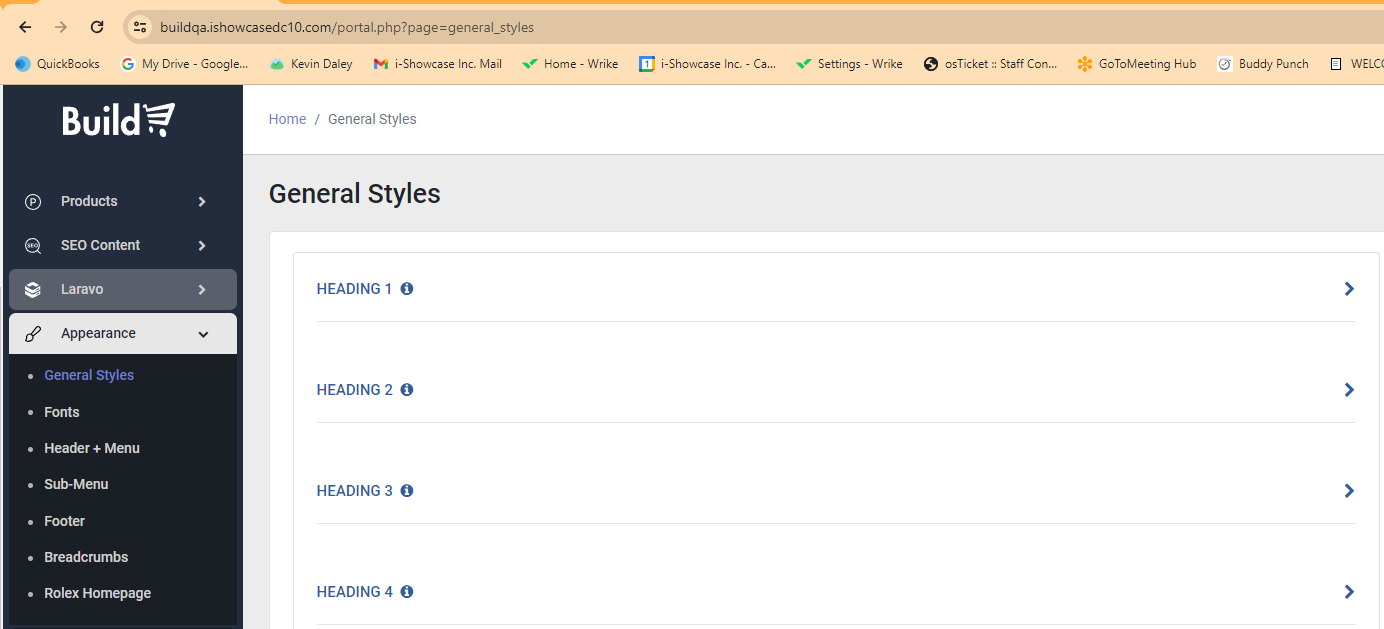
List of HTML elements that can be modified.
- HEADING 1 - 6
- PRIMARY BUTTON
- SECONDARY BUTTON
- SHOPPING CART TEXTS
- WISHLIST ICON
- CHECKBOX
- PARAGRAPH 1 - 6
- HYPERLINK
- LABEL
- SLIDER
- PAGINATION
- SEARCH BOX
In this example, Heading 1(H1 Header) has the following styling options to modify. Each editable HTML element has a different set of options to modify.
Font Family: Merriweather
Font Size: 20
Font Weight: 900 - Black
Font Style: Normal
Line Height: 2
Letter Spacing: 1
Font Color: #7700ff
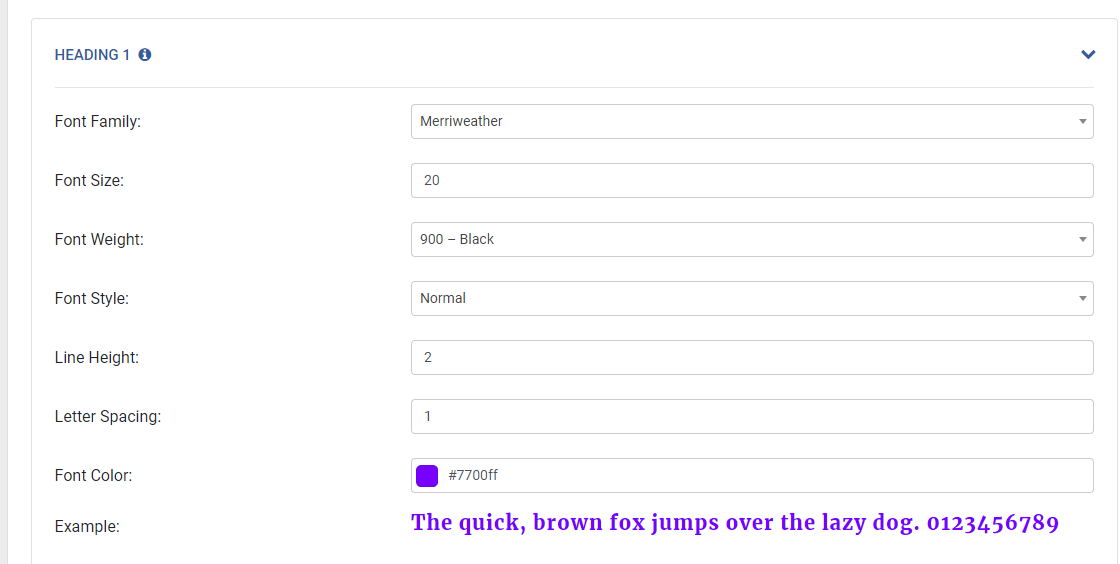
The Example field shows how the current settings will look on the website.

When saved, any new modifications will appear on the live website.
For more details on each HTML element that can be modified please read the General Styles Section of the Build Manual.
Tutorial Video: General Styles Tutorial
Video Password: build
Please sign in to leave a comment.
Comments
0 comments